Blog · Web development
Webflow University: Learn how to use Webflow online
How to learn to use Webflow? What is Webflow University? Scroll tells you everything
If you're looking to create a professional-quality website, you've likely heard of Webflow. Webflow is an online website creation platform that allows you to design complex, custom websites in no-code—meaning without needing to write any code. However, to get the most out of this platform, it's important to understand how it works and know how to use it.
That's where Webflow University comes in. It's an online learning platform offering courses to help you master Webflow. Whether you're a beginner or already have some web development experience, Webflow University has courses for all levels. We explain everything!
What is Webflow University?
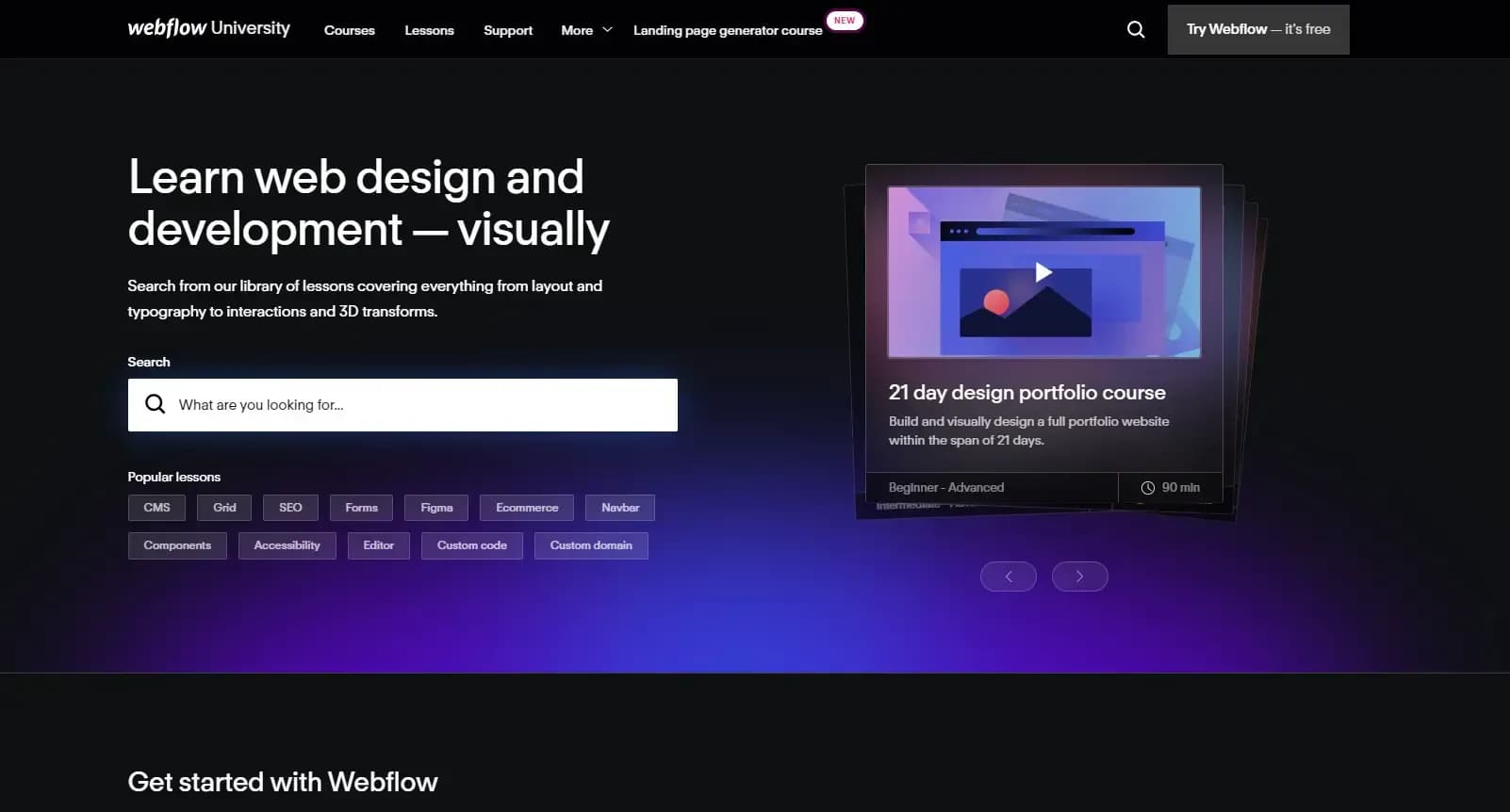
Webflow University is the online training platform of Webflow. It offers courses to learn how to use Webflow effectively. The courses are led by expert Webflow instructors and are available for all skill levels.
The online training platform offers a variety of educational content, including video courses, tutorials, blog articles, and project examples. The courses are designed to teach you how to use Webflow's features, from building simple websites to creating more complex ones.
How does Webflow University work?
Navigating Webflow University
To access Webflow University courses, you must register on the platform. Once registered, you can browse the available courses and select the one that best suits you. The courses are organized by theme, making it easy to find the one that matches your needs.
Course content
Webflow University offers a variety of courses covering many aspects of website creation with Webflow. You can find courses to learn the basics of Webflow, such as designing layouts and using core features. Advanced courses are also available, including e-commerce site creation, setting up third-party integrations, and more.
Each course is designed to teach you how to use Webflow effectively and help you master the skills needed to create professional-quality websites. The courses are also interactive, with quizzes and hands-on exercises to help you solidify your knowledge.
Course difficulty levels
Webflow University courses are available for all levels, from beginner to advanced. Beginner courses are designed to teach you the basics of Webflow, while advanced user courses are designed to help you develop more complex skills.
Course difficulty levels are clearly indicated, so you can choose the one that best suits your needs. If you're a beginner, it's recommended to start with beginner courses before moving on to more advanced ones. This will allow you to build a solid foundation before progressing to more advanced skills.
The benefits of Webflow University
There are several advantages to using Webflow University to learn how to use Webflow. The online training platform is designed by the creators of Webflow themselves, so you learn directly from the source! Additionally, Webflow University instructors are subject matter experts, ensuring high-quality courses.
Another advantage is its accessibility—the online training platform is available anytime, anywhere. You can learn at your own pace, which is particularly useful if you have a busy schedule. Plus, courses are available for all levels, meaning you can find courses tailored to your needs, regardless of your current knowledge and skills.
How to enroll in Webflow University?
Creating an account
To enroll in Webflow University, you first need to create an account on the platform. To do this, go to the Webflow website and click "Log in" in the top right corner of the screen.
Accessing Webflow University
Once you're logged in, you can access Webflow University by clicking the "University" button in the platform's main menu. This will take you to the Webflow University homepage, where you can browse the various available courses.
Choosing courses
To select a course, click on the course title to learn more about its content. You can also see the difficulty levels and course duration. If you're interested in the course, click the "Start Course" button to access it.
Accessing courses
Once you have access to a course, you can start learning immediately. Courses are designed to be interactive, with quizzes and hands-on exercises to help reinforce your knowledge. You can also access blog articles and project examples to deepen your understanding.
Accessing course updates
Webflow University is regularly updated with new courses and updates to existing ones. You can access these updates by regularly visiting the online training platform and subscribing to Webflow's newsletter. This will keep you informed about the latest trends and updates to the Webflow platform.
Scroll supports you in developing your site on Webflow
If you don’t have or have little time to dedicate to training, don’t worry! At Scroll, our Webflow agency is made up of platform experts. Whether you're a novice or more experienced, we support you in developing your site from A to Z. Our experts offer solutions that perfectly meet your expectations and in record time! If you have a project, don’t hesitate to contact us!