Blog · No-code
Bubble application: creating an app with Bubble.io

Are you familiar with Bubble? Discover how to build no-code applications using this powerful solution.
If you're interested in the world of no-code app builders, you’ve likely heard of Bubble. Since 2012, this tool has allowed you to create web applications without writing a single line of code. A small revolution in the tech world! But how do you create a Bubble application? Scroll, a no-code specialized agency, tells you everything.
What is Bubble.io?
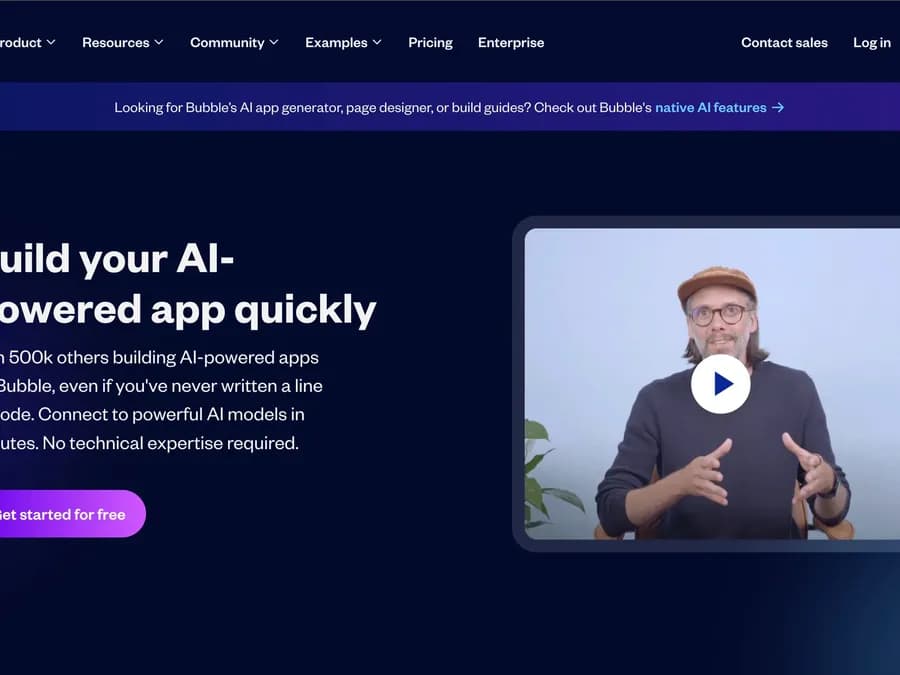
Bubble.io is, in their own words, "the best way to build an app without coding." In practice, it’s a SaaS tool (Software as a Service, meaning it’s accessible online via a subscription system) that relies on no-code technology.
The tool is based on Drag and Drop and WYSIWYG (What You See Is What You Get) concepts. Behind these acronyms and anglicisms lies a simple idea: Bubble natively offers a range of actions you can perform. By selecting and adding them to your workflow, you can create logical sequences to build an application. And all of this without writing a single line of code. Bubble lets you visually assemble actions and handles translating everything into code for you.
Bubble is therefore a small revolution on several levels. First, the tool has enabled more people to create applications: this world is no longer reserved for developers alone. Second, it allows for faster and easier creation of web or mobile applications.
You might think this comes with a technical trade-off: by using Bubble, you’re limited to the actions Bubble offers. In reality, however, Bubble provides an immense range of possible actions and connectors to other apps. So you’re not limited when creating apps on Bubble.
The advantages of Bubble for creating an app
Bubble has gained so much popularity in web app development because it offers many advantages. Here are a few:
Bubble makes app development more accessible
With Bubble, you don’t need any knowledge of programming languages to develop a highly professional application. App development is no longer reserved for full-stack developers, who can sometimes be hard to find. Now, you can hire a Bubble developer or train yourself on the tool, which is much simpler than learning a programming language.
Users can test Bubble for free
To get started with the platform and build a basic first app, Bubble offers a free version. The tool provides a limited set of features to help you familiarize yourself with its interface and development method.
A multitude of features to create the app of your dreams
Bubble is one of the no-code app builders offering the most advanced features on the market. With this tool, you can develop the app of your dreams in terms of both design and functionality. It offers advanced features like user management, authentication, payments, notifications, and more. Everything you need to build a modern, high-performing app.
Bubble enhances collaboration
What’s better than working in real time with your team on a shared project? Bubble improves team efficiency by offering various online collaboration tools, such as chat, file sharing, or task management. Graphic designers, UX designers, and developers can all work together on Bubble!
Examples of applications built with Bubble
Proof of this: many startups (and even established businesses) use the solution. With Bubble, you can create numerous applications, such as marketplaces, SaaS platforms, social networks, or even internal tools for your company like CMS or accounting software.
A concrete example of an application built with Bubble?Comet.co, a freelance recruitment platform that raised €11 million in 2018, built its application using Bubble. The technology has since been changed, but this demonstrates the seriousness and robustness of the solution.
Bubble.io is also often used to design MVPs (Minimum Viable Product, the minimal version of a product that allows you to gather customer feedback to evolve it in the right direction). Enough tolaunch your startup quickly with no-code. Indeed, thanks to its many features and the ease of adding functionalities to an application, Bubble is an excellent choice for this type of operation.
How to create an application with Bubble
This brings us to the crucial question: how do you create an application on Bubble?
While no-code is known for being more accessible and easier than coding, creating your application on Bubble still requires knowing the tool and its ecosystem. The learning curve can be steep, but once you master the solution, you’ll be able to design applications more quickly.
The first step will be to find an app idea. This isn’t necessarily the easiest part, but even here, you’ll be supported by Bubble’s resources. The tool offers many usage examples, templates, and plugins that you can browse and use freely. You’ll find plenty of ideas for your application and save a lot of time by using them.
You’ll then need to create an account on Bubble to access the production environment. This is where most of the work will happen.
The Bubble interface consists of several tabs.
Design: the tab to shape your Bubble application
This is where you’ll edit the visual part, the UX, and the interface of your app. Bubble allows you to create buttons, add images, input fields, etc.—basically, to create a web page just like any other no-code CMS such asWebflow. You can either build your model from scratch or use one of the available templates.
Note: designs created with Bubble can be fully responsive.
Workflow: the heart of your Bubble.io application
This is undoubtedly the core of the tool, where you’ll create your Bubble applications. The Workflow space allows you to create automated scenarios using a logical sequence of event/action pairs. Each step in your workflow consists of two aspects: an event (a trigger that initiates the step) and one or more actions that occur when the event is triggered.
In this space, there are many pre-configured events. You can choose one and assign a resulting action to it. You also have the option to configure your own custom events to maximize the personalization of your application.
Once the event is configured, the logical actions linked to it are triggered. Again, you can choose between pre-defined actions from Bubble or custom actions that you configure yourself.
The process is therefore very simple: for each step, you select a triggering event and the resulting actions. A concrete example? In your Bubble application, you can take the event “When a user signs up” and associate it with the action “Send a confirmation email.” This way, every time a new person creates an account on your web app, they’ll receive a confirmation email.
Data: enrich and customize your application
The third tab in Bubble.io’s app creation interface: the Data tab. It’s once again extremely important—this is where you’ll store your data and tables, which you can then reuse throughout your application.
This tab allows you to perform several actions.
Data types. Bubble already provides some by default, such as users with their login, ID, etc. But you can create your own and associate them with the data you choose.
Custom Fields: by filling in custom fields, you can add variables to your data types. Let’s take the example of Users again: in addition to their name, first name, login, and password, you can add other information you’ve collected, such as age, address, or number of orders placed.
Once you’ve created these Data Tables, you can reuse them in your application’s Workflows. Bubble lets you retrieve data from your tables to use in your app’s logic. Interactions with the app can thus become truly personalized, based on the information provided by the user.
Styles: unify your Bubble app’s appearance
Bubble’s Styles tab lets you create style rules for your application. You can choose fonts, themes, and colors, and any changes you make here will apply across your entire app. This tab helps you unify your application’s appearance.
Plugins: add new elements to your Bubble app
The Plugins tab lets you connect other compatible tools via API to further customize your application. Most popular digital tools are available—Bubble offers hundreds of integrations, and you can even add your own. Theoretically, the possibilities are endless.
For example, you can connect Airtable, Slack, Gmail, Instagram, Google Analytics, and much more, depending on what you want your Bubble app to achieve.
Other Bubble tabs
Bubble.io offers two additional tabs: Settings, for managing your account’s various parameters, and Logs, for tracking all entries, changes, and modifications made to your Bubble app.
From no-code to production: when to switch to AI-powered code
Bubble is great for quickly validating an idea at a low cost. But once the app gains traction—performance, security, rising costs, or features the tool can’t support—most teams switch to a controlled code stack, now developed much faster thanks to AI.
This is the transition Scroll handles daily: taking a no-code or AI prototype and rebuilding it cleanly (free 48-hour diagnosis), or developing your application directly in AI-assisted code, scalable from day one.
Scroll, your Bubble app development agency
At Scroll, we specialize in no-code tools. In particular, our Bubble agency will help you understand the possibilities of this tool to create no-code applications with Bubble that address your specific challenges.
Want to learn more? Have a project idea and looking for ways to bring it to life? Feel free to send us a message using the form below! A Bubble app creation specialist will get back to you to discuss it further.