Blog · No-code
TimeTonic: Build custom no-code tools
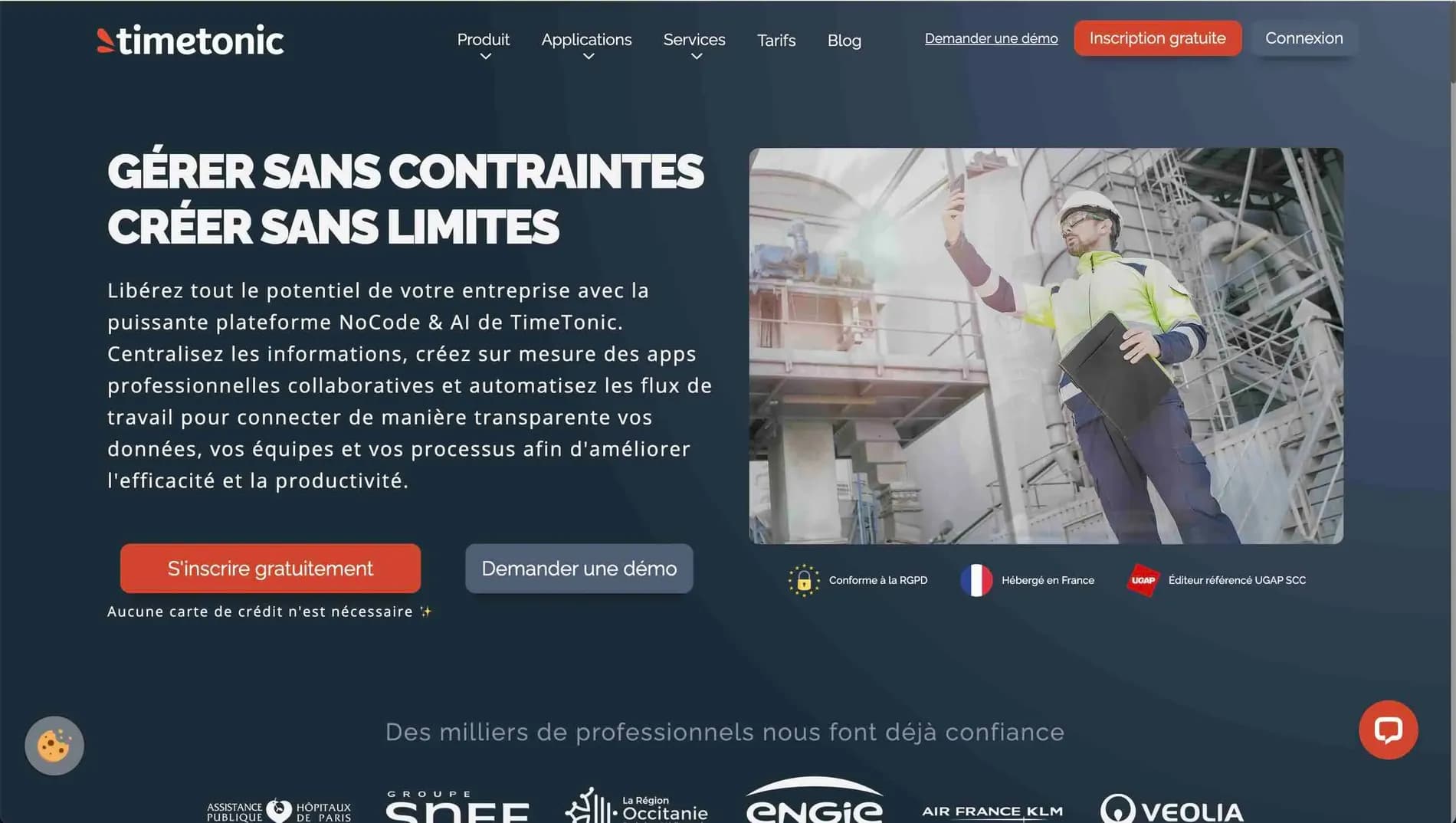
How is TimeTonic revolutionizing custom no-code tool creation to transform your business? Take your project to new heights with Scroll!
Whether you're a fast-growing startup, an association looking to organize its data, or a large company seeking agility, TimeTonic provides a limitless playground for designing workflows, internal apps, and much more. At Scroll, we’ve made it our mission to harness this powerful tool for our clients, guiding them every step of the way to turn their ideas into tangible solutions. Let’s go!
Diving into the no-code wave with TimeTonic
What exactly is no-code?
The no-code movement is all about democratizing digital tool creation, making it accessible to everyone without requiring advanced technical skills. With TimeTonic, you get a platform that fully embraces this philosophy: design and deploy custom business solutions in just a few clicks. No more waiting for an ultra-experienced full-stack developer for every minor tweak!
Why is everyone jumping on board?
The no-code phenomenon is booming because it addresses very real challenges:
- Time savings : Prototyping, testing, and validating an idea becomes a breeze.
- Cost reduction : Less budget spent on technical development means more resources for innovation.
- Agility : Teams can evolve their tools as the company grows, without having to tear everything down to rebuild.
TimeTonic, a major player in this revolution
If TimeTonic is riding a wave of success, it’s because it goes beyond a simple no-code tool. It offers an immersive experience where everyone can collaborate in real time, customize their interface, and automate processes. It’s like having a digital DIY workshop—without the hassles of coding.
TimeTonic, the tool that unleashes creativity
A limitless creative space
TimeTonic is like a true creative studio: every idea can take shape in no time, without any coding. Add a table for contacts, a view for sales tracking, and voilà—you’ve built a tailored business tool to fit your needs.
A platform that adapts to every team
TimeTonic is designed to be universal: whether you're a small startup, an association, an SME, or a large corporation, everyone finds value in it. Thanks to its modularity, it’s easy to create custom workflows with as many fields, views, or automation rules as you want.
Built for collaboration
Where TimeTonic stands out is in its collaborative mode. Team members work in the same space, add comments, share files, mention colleagues… The result? Time and efficiency gains for everyone. And here at Scroll, we love seeing our clients ditch their endless email loops thanks to this centralization.
Some inspiring use cases
- Project management: planning, deadlines, task distribution, automatic alerts…
- Custom CRM: contact tracking, sales pipelines, follow-up automation.
- Event organization: from online registration to seating plans, everything is managed in one place.
The building blocks of the TimeTonic tool
Tables and fields: the foundation
TimeTonic offers a table system, which are like supercharged spreadsheets. Each table groups fields (text, date, attachments, etc.) that can be linked together. It’s simple yet highly flexible: you build the architecture you need, without being constrained by a rigid model.
💡Scroll’s pro tip: we often recommend starting small, with a few key fields, then expanding gradually. That way, you avoid ending up with an unmanageable data monster.
Multiple views: see your data from different angles
TimeTonic lets you switch from one view to another in a single click:
- Table: for a classic spreadsheet-style presentation.
- Kanban: for a sales pipeline or an agile sprint.
- Calendar: for anything related to planning.
You choose the most suitable view for the context, and you can configure multiple views to meet different needs. It’s a real clarity boost when navigating through a lot of information.
Automations and formulas: the art of making life easier
The platform offers automations to trigger actions as soon as an event occurs (status change, new row added, etc.). For example:
- Send an automatic confirmation email for every new entry.
- Generate a PDF as soon as a sale is closed.
- Update a task’s status when another one is completed.
Formulas also allow for advanced calculations, similar to a spreadsheet but more intuitive. For our clients at Scroll, it’s a way to streamline their daily work and avoid tedious tasks.
Real-time collaboration: everyone in the same place
Last strong point: collaboration. Data is updated in real time, and every team member can interact in the same space. Comments, mentions, attachments—everything is centralized. We particularly appreciate this transparency, which prevents getting lost in scattered emails or files.
Result: TimeTonic isn’t just a data management tool, it’s a complete environment for working together, saving time, and building truly customized solutions. And at Scroll, we think it’s great to be able to offer our clients a platform that’s so modular and intuitive.
Concrete examples of TimeTonic in action
Project management: everything under control
TimeTonic is a top choice for manage a project from A to Z. You can create tables to list tasks, assign them to each team member, and track progress in real time. With Kanban and calendar views, everyone knows exactly what they need to do and when. Automatic alerts can even be set up to notify of delays or priority changes.
💡Scroll’s tip: start by clearly defining the project steps and each person’s roles, then configure TimeTonic to reflect this structure. This way, there’s no confusion and teams coordinate better.
Custom CRM: the power of personalization
Why settle for a generic CRM when you can shape one to fit your needs? With TimeTonic, you can customize every field (contacts, opportunities, activities, etc.), add automations for email follow-ups or quote generation, and organize your sales pipeline however you like.
💡Scroll’s pro tip: consider using formulas to automatically calculate total sales, closing probability, or the average time spent at each pipeline stage.
Event organization: a centralized hub
TimeTonic is also great for event management. You can create a registration form, link the data to a table listing all participants, and even send automatic confirmation emails. With the calendar view, you can visualize key dates (preparation, deadlines, presentations, etc.) and track registration progress at a glance.
💡 Scroll’s experience: for large events, we recommend setting up automatic reminders (sending practical information, follow-ups to confirm attendance, etc.). Everything is managed from a single space, avoiding dispersion.
What are TimeTonic’s pricing plans?
TimeTonic offers four main plans, tailored to different needs and budgets. This is a crucial point to consider before getting started, to ensure you choose the right plan and avoid paying for features you won’t use.
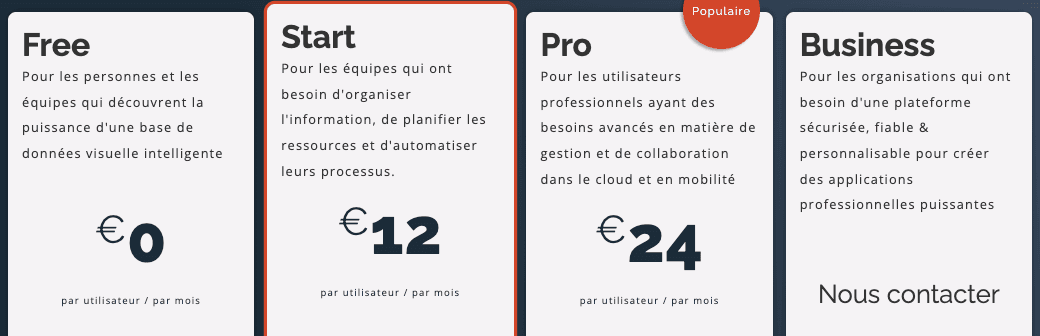
Four pricing plans offered by TimeTonic
- Free
- Ideal for getting started and solo projects.
- Unlimited workspaces, but with limits on the number of documents and rows.
- A few gigabytes of storage to test the platform and get familiar with it.
- Start (€12/user/month)
- Perfect for small teams looking to start structuring their processes.
- More documents and rows than the Free version, with access to basic automation features.
- Enhanced collaboration without breaking the bank.
- Pro (24 €/user/month)
- The most popular plan, according to TimeTonic.
- Higher data volume, advanced automations, and fine-grained access control.
- Ideal for growing businesses that need a robust and scalable tool.
- Business (custom quote)
- Designed for large organizations or complex projects requiring advanced integrations.
- Premium support, enhanced security, and highly customized features.
- For those who need to deploy TimeTonic at scale, with tailored guidance.
Scroll agency, your partner to go further
Our approach: bespoke solutions
At Scroll, we believe TimeTonic is an ultra-powerful tool—but it can be even more effective when perfectly aligned with a company’s strategy and processes. That’s where we come in:
- Needs audit : we take the time to understand our clients’ business, goals, and constraints.
- Technical setup : we configure TimeTonic, create tables, fields, views, and necessary automations.
- Team training : we provide hands-on support so everyone feels comfortable with the platform.
Custom integrations
TimeTonic already connects with many services, but sometimes a specific need arises (industry software, e-commerce gateway, etc.). We offer custom integration development to ensure TimeTonic communicates seamlessly with other tools.
Ongoing support
Once the platform is deployed, we remain available to fine-tune settings, answer questions, and suggest optimizations. TimeTonic evolves regularly, and we love staying on top of new features so our clients can make the most of them.
Have a project? Contact us to get it off the ground!
If TimeTonic falls short, we can design a custom business application tailored to your workflows.