
Blog · Automation
SME Automation: 12 Tasks to Automate Before Hiring
Discover 12 tasks to automate in an SME before hiring: administrative, sales, marketing, HR, AI, and productivity.
When an SME is short on time, the reflex is often the same: hire.
It makes sense. Customer requests are increasing. Quotes are falling behind. Follow-ups are forgotten. Teams spend their days copying and pasting between multiple tools. Soon, the manager thinks they need one more person.
Sometimes, that’s true.
But in many cases, the real problem isn’t a lack of people. It’s a lack of systems. Too many tasks are still done manually. Too much information circulates in emails, Excel files, Slack messages, or the manager’s head.
That’s where automating SME tasks becomes a real lever.
Automating doesn’t mean replacing humans. It means preventing teams from wasting time on repetitive, slow, and low-value actions. Before hiring, an SME can often save several hours per week with a few simple automations.
Here are 12 tasks to prioritize for automation before creating a new position.
Why automate before hiring?
Hiring is expensive. You have to recruit, onboard, train, equip, and then support the person. Even with a good candidate, the impact isn’t immediate.
Automation, on the other hand, can quickly address certain bottlenecks.
Good administrative automation reduces errors. Good sales automation improves lead tracking. Good marketing automation keeps you connected with your contacts. Good HR automation simplifies internal tasks.
The goal isn’t to automate everything. The goal is to eliminate what’s holding back growth.
If you hire to compensate for a poorly organized process, you risk adding a person to an already fragile system. They’ll have to manage the same files, the same duplicate entries, and the same manual follow-ups.
On the other hand, if you automate first, your future hire will be more effective. They’ll join a clearer organization and can focus on high-value tasks.
1. Centralize incoming requests
In an SME, requests often come from everywhere: website forms, email, phone, LinkedIn, WhatsApp, referrals, or trade shows.
The problem isn’t having multiple channels. The problem is not centralizing the information.
A request might stay in an inbox. Another in a LinkedIn message. Another in a shared file. Result: some leads are handled quickly, others fall through the cracks.
Sales automation can fix this.
Each new request can be sent to a CRM, an Airtable database, a business tool, or a tracking spreadsheet. The lead can be categorized by source, need, urgency, or industry.
You can also trigger a notification to the right person.
It’s simple, but highly effective. Requests arrive in the right place. Teams save time. The manager maintains a clearer view of the sales pipeline.
To dive deeper into this topic, you can read Scroll’s article on custom CRM for SMEs.
2. Automatically qualify leads
Not all leads deserve the same level of attention.
Some are ready to buy. Others are just seeking information. Some have the right budget. Others don’t. Without qualification, an SME can waste a lot of time on the wrong opportunities.
Automation can help filter requests.
After a contact form, you can ask a few simple questions: company size, need, timeline, budget, current tool, urgency level. The answers then populate a score or status.
The team then knows who to call back first.
AI for SMEs can also help analyze incoming requests. It can identify the topic, summarize the need, and suggest a category. Humans remain in control, but they start with a clearer context.
This sales automation improves SME productivity without harming the customer relationship.
3. Automate appointment scheduling
Scheduling appointments may seem trivial. Yet, it consumes a lot of time.
"When are you available?"
"Thursday morning?"
"No, rather Friday."
"Actually, I need to reschedule."
These exchanges slow down sales and create mental load.
A booking tool connected to your calendar solves much of the problem. The lead picks a slot. They receive a confirmation. The appointment appears in your calendar. A reminder is sent before the call.
You can even direct the lead to the right calendar based on their need.
A sales inquiry leads to a discovery call. A support request is routed to another person. An unqualified lead first receives a useful resource.
It’s a simple automation, but it conveys a highly professional image.
For Scroll, the natural conversion link in this article is the page book a call.
4. Follow up with prospects at the right time
Many sales are lost after the first exchange.
Not because the offer is bad. But because the follow-up isn’t timed right.
A forgotten follow-up, a quote sent too late, or an email left in drafts can cost you an opportunity.
Sales automation allows you to create a simple follow-up process.
After a meeting, an email can be sent with a summary and next steps. If the prospect doesn’t reply, a follow-up can be scheduled a few days later. If a quote goes unanswered, an alert can be sent to the salesperson.
The goal isn’t to send cold, impersonal emails. The goal is to prevent oversights.
A good automated follow-up should remain short, clear, and human. It should encourage a response, not feel like part of an aggressive automated sequence.
5. Generate quotes faster
The quote is a key moment.
When a prospect requests a quote, they’re already engaged. If the document arrives three days later, momentum fades. The prospect may look elsewhere. They may also question your responsiveness.
In many SMEs, quotes are still created manually. An old document is reused, the name is changed, lines are updated, it’s exported to PDF, and then sent by email.
This process is time-consuming and prone to errors.
Automation can retrieve the prospect’s details, fill out a quote template, generate a PDF, and set up a follow-up. If the quote is signed, the status updates in the CRM and the next tasks are created.
This administrative and sales automation directly impacts revenue.
A faster, clearer, and better-followed quote increases the chances of signing.
6. Organize invoices and documents
Supplier invoices, contracts, purchase orders, expense reports, certificates: administrative tasks quickly take up a lot of space in an SME.
Documents arrive by email. Some are downloaded. Others remain as attachments. Others are sent to the accountant at the end of the month, often in a rush.
Administrative automation can collect, rename, sort, and forward these documents.
For example, an invoice received by email can be detected, saved in the correct folder, renamed with the date and supplier, then added to a tracking spreadsheet.
SME AI can also extract useful information: amount, VAT, date, supplier, due date.
It’s not the most visible automation. But it saves a lot of time and reduces errors.
To compare possible solutions, Scroll’s article on automation tools can serve as a starting point.
7. Follow up on overdue invoices
Invoice follow-ups are a sensitive task.
No one enjoys doing it. Yet, it protects cash flow. In an SME, payment delays can quickly create tension.
Automation can detect overdue invoices and send a first polite reminder. If needed, a second reminder can follow. Beyond a certain delay, an alert can be sent to the manager or administrative team.
The tone must remain human.
The goal is to handle simple oversights without creating unnecessary friction. For delicate cases, humans take over.
This administrative automation avoids relying on one person’s memory.
8. Streamline client onboarding
Signing a client is good. Onboarding them well is better.
In many SMEs, the post-signature process is still too manual. Emails are sent by hand. Access is requested. A folder is created. Tasks are added. Sometimes, a step is forgotten.
Client onboarding can be largely automated.
As soon as a quote is signed, multiple actions can be triggered: client folder creation, welcome email, scoping questionnaire, team task, project creation, launch meeting reminder.
The client feels supported. The team knows what to do. The manager keeps a clear vision.
This automation of SME tasks improves service quality from day one.
9. Create management reports
Many business leaders still manage their SMEs with scattered data.
Leads are in the CRM. Appointments are in the calendar. Invoices are in the accounting tool. Tasks are in a project tool. Campaigns are on another platform.
Result: to know where the business stands, you have to open ten tabs.
Automation can centralize data in a simple dashboard.
A few key metrics are often enough: leads received, appointments booked, quotes sent, quotes signed, projected revenue, pending invoices, overdue projects.
The report can be updated daily or weekly.
SME productivity also depends on better visibility. Better decisions are made when the numbers are clear.
10. Automate recurring marketing campaigns
Marketing automation isn’t just for large companies.
An SME can automate part of its marketing without losing its tone or quality.
A new contact can receive a sequence of helpful emails. A past client can receive a message three months after a project. An inactive prospect can receive a gentle follow-up. A request from the website can be added to a specific list.
AI for SMEs can also help repurpose existing content. An article can become a newsletter. A video can become multiple posts. A case study can become an email sequence.
The goal isn’t to publish more for the sake of it. The goal is to stay connected with the right people.
For tooling basics, Scroll’s article on no-code automation complements this topic well.
11. Automatically create internal tasks
In an SME, many things are decided verbally.
“Can you handle this?”
“I’ll send it to you later.”
“Let’s catch up tomorrow.”
When activity increases, verbal communication is no longer enough. Tasks get lost. Responsibilities become unclear. Deadlines slip.
Automation can turn certain events into tasks.
A filled form creates a task. A signed quote creates a checklist. A customer request opens a ticket. A completed meeting triggers a follow-up.
This logic boosts SME productivity. It prevents teams from relying on memory.
The goal isn’t to monitor. The goal is to make work visible and reliable.
12. Automate repetitive HR tasks
HR automation is often overlooked in SMEs. Yet, it can bring a lot of comfort.
Leave requests, absence tracking, new hire onboarding, tool access, trial periods, reviews, expense reports: all of this takes time.
Before hiring, it’s useful to structure these processes.
A new employee onboarding can trigger a checklist: contract, equipment, access, internal documents, follow-up meetings, trial period reminder.
Leave requests can also follow a simple workflow. Approvals are centralized. Absences feed into a shared schedule.
HR automation doesn’t remove the human element from management. It just prevents managers from spending time on administrative oversights.
Which tasks shouldn’t be automated too quickly?
Not everything should be automated.
You shouldn’t automate a poorly understood task. You shouldn’t automate a process that changes every week. You also shouldn’t automate a sensitive decision without human oversight.
Good automation starts with a clear process.
Before connecting tools, you need to answer a few questions: who does what, what information triggers the action, what data is needed, what edge cases exist, and who retains control.
This is exactly the kind of framework Scroll provides forautomation projects with Make, n8n or no-code tools.
Where should your SME start?
The best starting point isn’t the tool. It’s the pain point.
For a week, note down all repetitive tasks: copy-pasting, follow-ups, files to rename, identical emails, spreadsheets to update, information to look up.
Then, sort them based on three criteria: time wasted, risk of error, business impact.
The best automations often target sales, administration, or management.
It’s better to start with two or three useful automations than with an overly ambitious large project.
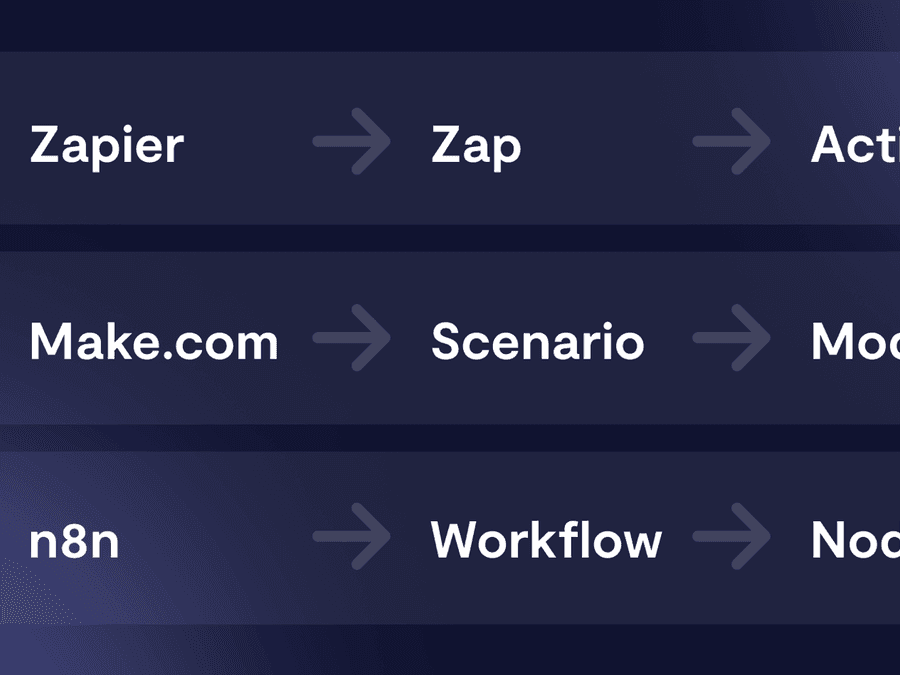
If you’re torn between Make, Zapier, n8n, Airtable, or a custom CRM, the key is to define the need before choosing the tool. The article on the cost of an automation project with n8n can also help you understand the levels of complexity.
A more productive SME starts with simpler systems
Before hiring, an SME can often save time by automating the right tasks.
Not by replacing teams. Not by removing customer relationships. Not by creating a convoluted system.
But by eliminating duplicate entries, forgotten follow-ups, poorly organized files, lost requests, and manually compiled reports.
Administrative automation, sales automation, marketing automation, HR automation, and AI for SMEs can help leaders regain time and clarity.
At Scroll, we help SMEs identify which tasks to prioritize for automation, then build simple, reliable systems tailored to their tools. The goal is clear: improve SME productivity without complicating the organization.
If you feel overwhelmed and hiring seems urgent, there may be one step to take first: audit your processes.
You can schedule a meeting with Scroll to identify the first automations to implement.
Frequently asked questions
What is SME task automation?
SME task automation involves assigning repetitive actions to tools: follow-ups, data entry, document sorting, task generation, appointment scheduling or reporting. The goal is to save time, reduce errors and streamline operations.
Which tasks should be prioritised for automation in an SME?
The best tasks to prioritise for automation are incoming requests, lead qualification, sales follow-ups, quotes, administrative filing, invoice reminders, client onboarding and reporting.
Can automation prevent hiring?
It can sometimes delay hiring or help prepare for it more effectively. If an SME is hiring to compensate for poorly organised repetitive tasks, automation can first eliminate part of the problem. However, it does not replace truly strategic hires.
Which tools should be used to automate an SME?
The tools depend on the need. Make, Zapier, n8n, Airtable, HubSpot, Notion, Google Workspace or custom CRMs can be used. The choice should come after defining the process, not before.
Is AI useful for automating an SME?
Yes, if used for specific cases. AI can summarise emails, categorise requests, extract data from documents or draft responses. It must remain under human control, especially for sensitive decisions.

-1-900x675.jpg&w=2048&q=75)