Blog · Web development
Webflow VS WordPress: Which is the best CMS?
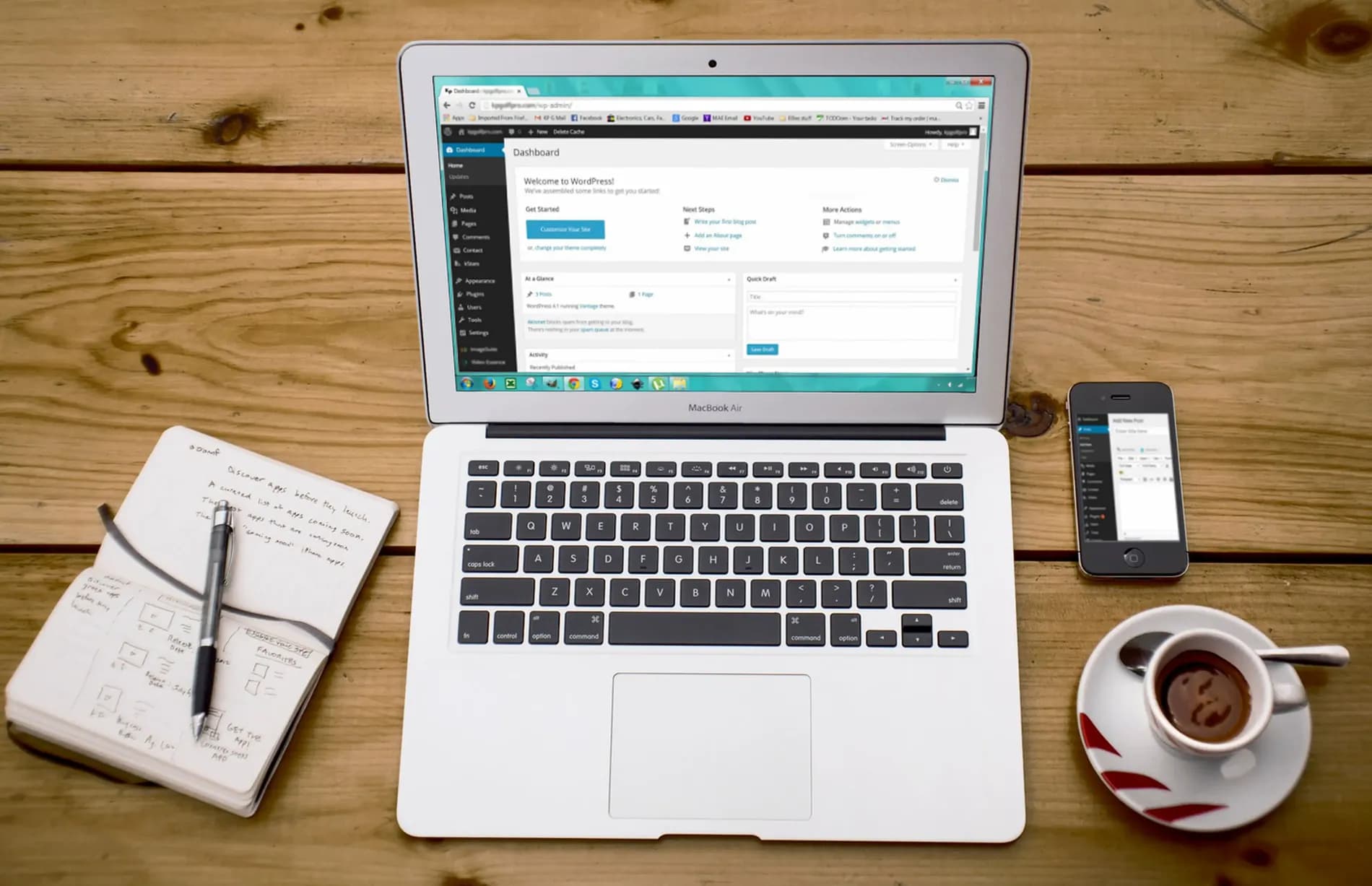
Which offers better performance, Webflow or WordPress? Scroll breaks it all down for you.
When looking to create a new website or to carry out a redesign, one of the first questions you’ll ask yourself is about the technology you’ll use—and more specifically, the CMS. A CMS, or Content Management System, is a tool that helps you create and edit your website.
This question is crucial: while there are many CMS options on the market today, not all offer the same features. Depending on your needs and resources (developers, service providers, budget), choosing one over the other is a strategic decision of great importance.
The leading CMS on the market is WordPress. It powers nearly one in two websites on the web. But at Scroll, we have a preference for a newer player, Webflow, which is built on no-code technology. To help you see things more clearly and make your choice, here’s our Webflow vs WordPress comparison. We’ve compared them across several criteria to show you which is more interesting for each aspect.
Introducing Webflow
Let’s start by introducing the two contenders in this Webflow vs WordPress matchup.
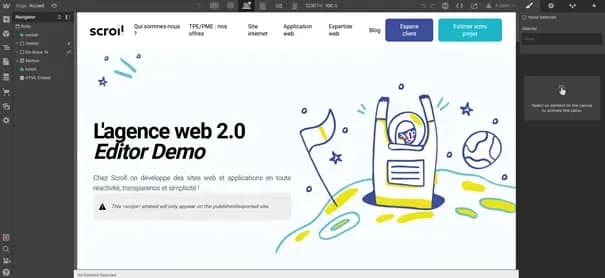
Webflow is one of the most popular recent CMS platforms—and for good reason: thanks to no-code technology, non-developers can use this tool to create pages and websites without writing a single line of code.
Webflow is built on the concepts of “Drag and Drop” and “WYSIWYG” (What You See Is What You Get). The principle is simple: instead of coding blocks and divs, you manually add them to a dedicated space on your screen. Webflow then converts them into code for you.
This makes it easier and faster to create high-performance, well-designed websites with Webflow. However, beware: beneath its user-friendly surface, Webflow is a robust and highly advanced tool that also requires a certain learning curve. If you’ve never used the platform before, a Webflow agency could help you bring your projects to life.
Introducing WordPress
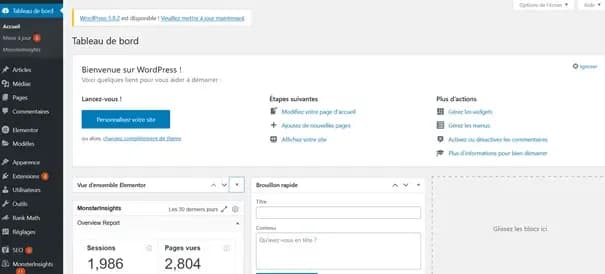
WordPress, on the other hand, is an older CMS but also far more popular. Its greatest strength lies in its flexibility, relatively easy learning curve, and strong community. You’ll find tutorials and support for any question you have about this CMS. Every developer knows it and at least understands its basics, most hosting providers offer one-click WordPress installation… in short: it’s a must-have, and for good reason!
Webflow vs WordPress: Which CMS Should You Choose?
Let’s get straight to the point: which should you choose between WordPress and Webflow? While at Scroll we have a preference for Webflow, we must acknowledge that WordPress has its own strengths and remains the better choice in certain situations. To help you see things more clearly and make the right decision, we’ve listed several key factors to focus on, so you can see which of Webflow or WordPress performs better on each specific point. Based on your needs and goals, it’s up to you to decide which CMS will suit you best!
Installation
The first question is about installation. Which CMS is the easiest to set up for your website?
Webflow offers an all-in-one solution, so you won’t have to worry about hosting, domain name registration, or installation. By creating your account on Webflow, you gain access to multiple tools that let you centralize everything related to your site’s development and hosting. No installation is required since everything happens on the Webflow platform.
If you choose a third-party host, however, such as O2Switch or OVH, the installation will be more complex. You’ll need to design your site in the Webflow editor, then export and install it on your site via your host. This process is not only sometimes technical but also time-consuming. Some third-party hosts offer automatic integrations with Webflow, but not all.
With WordPress, on the other hand, you’ll find partner integrations with almost every host on the market. WordPress doesn’t offer hosting directly, but its installation is still very straightforward.

For example, on O2Switch, with just one click from the cPanel, you can install the WordPress CMS for your site. As you can see in the screenshot above, integration with Webflow is not (yet) possible.
Conclusion : it’s a tie. It all depends on your goal. Thanks to its suite of tools, Webflow offers a centralized and very simple installation. If you want to use a third-party host, however, it will be a bit more complex. WordPress is also easy to install but requires a host and a domain name.
Ease of Use
Which CMS is the easiest to get started with as a complete beginner? Once again, the Webflow vs. WordPress match is very close: both solutions are designed to be accessible to as many people as possible in their basic features, but they still have a very steep learning curve.
At Webflow, simplicity and speed are at the heart of the tool: it’s the entire philosophy of no-code. The drag-and-drop concept means that, theoretically, anyone can develop pages or sites without writing a single line of code. In practice, however, if you don’t know how to code, you’ll need to learn and understand the logic and terminology of the Webflow environment. Some onboarding is therefore necessary, and you’ll need to follow, at a minimum, the various tutorials and the Webflow “Academy” section to be able to develop high-quality sites.
WordPress has a considerable advantage over Webflow: it is open-source software, meaning anyone can contribute to it by developing plugins. As a result, you’ll find free or paid plugins that can do just about anything you can’t: a significant advantage when it comes to ease of use.
However, WordPress has a fairly unintuitive interface and very particular ways of working. Just like with Webflow, you’ll need to learn how to use this CMS and watch many online tutorials to truly master it. What makes WordPress strong (its numerous plugins) is also its weakness: each new plugin requires you to learn how it works. And since they come from different developers, the logic, terminology, and functionality can also vary.
Conclusion : advantage Webflow. Webflow is easier and faster to get started with than WordPress, and this holds true in the long run. That said, this doesn’t mean you’ll be fully operational on the no-code CMS right away. You’ll still need to learn how to master it and push its limits to unlock its full potential.
Usability & Speed
When using either of these solutions daily, which offers the greatest ease of use? Whether in terms of user-friendliness or speed for developing pages, both CMS platforms have strong arguments.
On the Webflow side, everything is designed to help you develop stylish pages quickly. No-code, whether for website development or other digital tools, is built for speed and cost reduction. Once you’ve mastered the tool, Webflow is therefore very easy to use on a daily basis.
Moreover, the solution—already fast—is set to experience unprecedented acceleration. At the end of 2021, Webflow announced that its tool would become up to fifteen times faster while consuming sixty times less bandwidth. A user experience that will be greatly improved!
With WordPress, the tool is very practical once mastered. However, frequent updates and the need for plugins require continuous monitoring.
Conclusion: advantage Webflow. Once again, the no-code CMS stands out thanks to its overall philosophy. Webflow is indeed designed to be simple and comfortable to use, enabling you to quickly develop new pages for your site.
Features & Customization
Which CMS will allow you to customize your sites the most? Which offers the most features to turn the editor into a true playground?
Since its launch, Webflow has been committed to offering more and more new features. 2022 will be no exception, with the announcement of Webflow Logic, which will let you create automation workflows within your site. Other products are also available, such as Webflow E-commerce, to turn your site into a full-fledged online store.
The editor itself is also very comprehensive, allowing you to refine the design of your pages in depth. You have full control over every element—its size, color, placement, on mobile and desktop, and much more. This is one of Webflow’s major strengths: the ability to customize each page exactly as you wish.
You can also integrate third-party tools with Webflow to enhance it: Bubble app integration, Integromat, Airtable, etc. This lets you truly personalize your site.
However, there’s an important limitation to note: you’re dependent on Webflow as a company. The software is not open-source, and only the team behind the solution can add new features. So while the possibilities are vast, there is a theoretical limit to what you can achieve with it.
With WordPress, this isn’t an issue. As an open-source platform, WordPress allows anyone to add plugins or themes, ensuring every site can have all the features it needs. Want to develop in no-code like on Webflow? Try Elementor. Want to turn your blog into an e-commerce site? Discover WooCommerce. Struggling with load times? WP-Rocket can help.
Many plugins are paid, so this will come at a cost—but in practice, the customization options and features on WordPress are virtually limitless.
Conclusion: advantage WordPress. By its very design, the WordPress CMS offers—and will always offer—more features than Webflow. That doesn’t mean Webflow is lagging behind, though: it continues to improve and introduce more features. The limit exists, but good luck reaching it!
SEO
Want to drive traffic to your site through organic search? Which platform offers the most SEO possibilities?
With Webflow, everything is native: on every page, you can choose the URL, HTML tags (title, metatags, H1, H2, etc.) you want to include, and you have full control over your content. Additionally, Webflow provides powerful features to improve page load times: with one click, you can minify CSS and JavaScript, keeping Google’s bots happy. When it comes to SEO, Webflow is a highly comprehensive and user-friendly tool. You can also edit your robots.txt and sitemaps directly from the built-in editor.
The web performance results achieved are highly satisfactory:

On WordPress, once again, you’ll need to rely on plugins. The most famous is likely YoastSEO, which gives you control over your titles and metatags, but WP-Rocket is also worth mentioning for all loading speed issues.
Conclusion : Webflow wins. Both solutions provide everything you need to have full control over your SEO. However, be cautious: with WordPress, you’ll need to carefully choose the themes and plugins you use. With Webflow, everything is already built-in, and no additional action is required beyond properly implementing your optimizations.
Design
Which CMS allows you to develop the most beautiful sites? How can you work on design more easily and quickly for your site?
At Webflow, design is central. The drag-and-drop editor lets you preview all changes before publishing. By manually adding elements to your page, you immediately see their impact on the design. The result: it’s much faster and easier to create stylish pages and sites than with code-based CMS platforms.
With WordPress, you can also use drag-and-drop plugins like Elementor. However, not all page builders (plugins used to design your pages) offer this functionality, and some lack advanced features. Once again, to achieve excellent results, you’ll need a solid understanding of the WordPress ecosystem and know which tools to install.
Conclusion : Webflow wins. On this point, Webflow clearly outperforms WordPress. Design is at the core of page building. With WordPress, you can certainly create aesthetically pleasing sites, but the options are often more limited and require more effort.
Pricing
Which solution is more affordable between Webflow and WordPress?
Webflow offers an all-in-one package: hosting, CMS, domain name, all under a subscription model. The starting price is $12 per month (but increases if you want to add other products, such as Webflow e-commerce).
WordPress, on the other hand, is free. However, you’ll still need to pay for third-party hosting and purchase a domain name. Additionally, you’ll likely need to spend some money on a theme you like and quality plugins.
Conclusion : WordPress wins. In the long run, WordPress is likely the more cost-effective solution. On paper, you can even create powerful, customized sites without spending a single euro on the CMS: there are plenty of free plugins and themes. However, beware: depending on the additional tools you want to purchase, WordPress costs can also rise significantly, whereas Webflow’s pricing remains stable.
Security & updates
Between Webflow and WordPress, which solution offers the highest level of security?
Webflow provides a fully secure environment. Developed by a single company, the solution is highly reliable and has no major security vulnerabilities. Additionally, with Webflow, you’ll never need to handle updates—they’re all performed automatically in the background. No compatibility issues to worry about, then.
This isn’t the case with WordPress, which is notorious for its security flaws and constant updates. Indeed, WordPress’s open nature—plugins developed by external individuals or companies—means vulnerabilities are common and often exploited.
With WordPress, it’s therefore crucial to perform regular updates to prevent any security issues from being exploited.
Conclusion: Webflow wins. WordPress is unfortunately known for its lack of security. So be careful with your data: make sure to monitor your site closely and keep all themes and plugins up to date. Webflow’s subscription cost includes site maintenance and security. Ultimately, the money spent on a Webflow subscription saves you human resources.
Conclusion: Webflow or WordPress?
So, Webflow vs. WordPress: who wins the match?
As you’ve probably gathered, our hearts belong to Webflow. The CMS allows us to develop robust, functional, and beautifully designed websites for our clients—all in record time. Plus, development costs on Webflow are generally lower than on WordPress, thanks to the time saved.
That said, WordPress remains a very viable option, especially if you have specific goals or needs that Webflow doesn’t fully address. But if your aim is to build a blog, a showcase site, an e-commerce platform, or a web app, Webflow will likely be the better fit.
In the end, even though we prefer Webflow, the answer depends on your project. In some cases, Webflow will be the better choice. In others, WordPress might be the way to go.
Scroll Agency: Your Webflow Agency
At Scroll, we areWebflow specialists. That doesn’t mean we don’t master other CMS platforms: WordPress, Drupal, Shopify… We build websites on all platforms for our clients.
Still unsure which technology to use? Still torn between Webflow and WordPress? Don’t worry—feel free to reach out to our team. We’ll be happy to answer your questions and guide you toward the best solution for your project.